 Deutschland
 España
 France
 Ireland
 Italia
 Nederland
 Portugal
 UK
UKDesign your own campsite map
Drag and drop your pitches, cabins, trees and facilities onto a plan of your site, then show guests exactly where they are staying. No cartographer required.
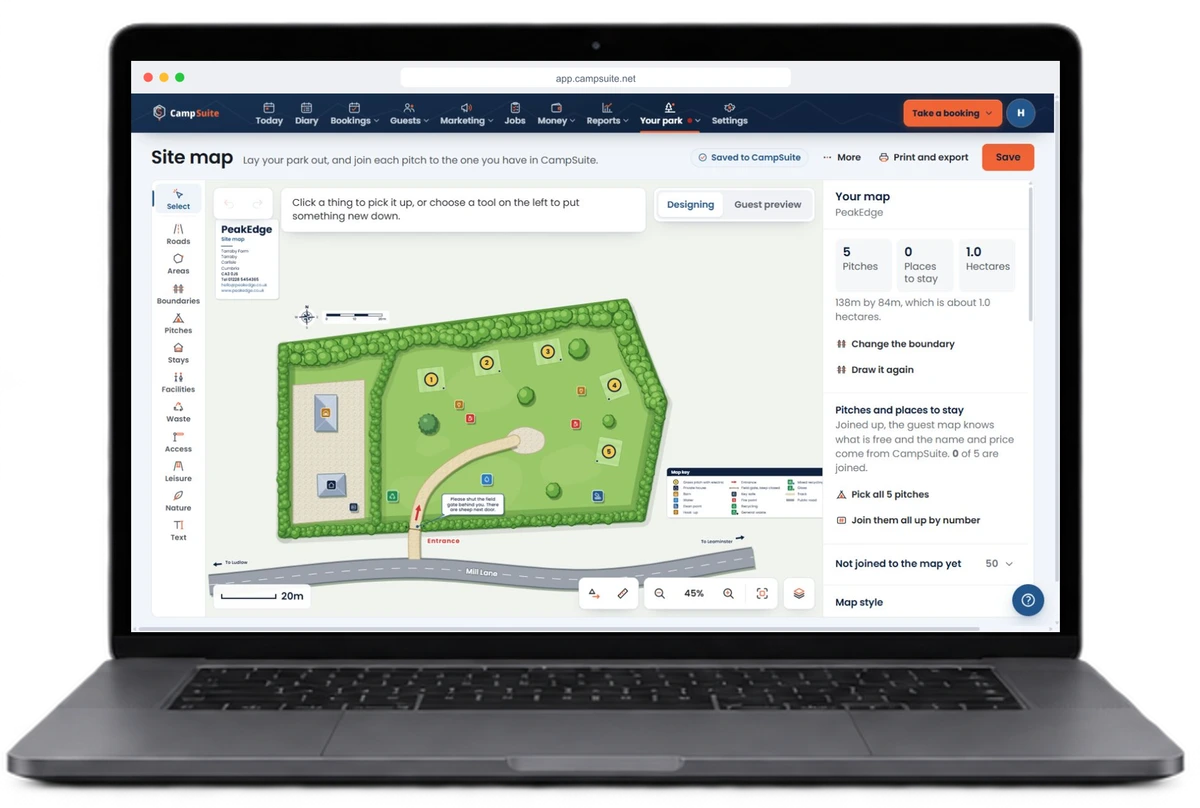
Drag-and-drop your whole site
Pitches, cabins and tents, trees and water, roads, the play area, the shower block - drop each one onto your map and nudge it into place.
Guests know where to go
Put the finished map on your website or in an email, or print it for the gate, so guests can picture the layout and find their pitch without a single phone call.
Always yours to edit
Open a new field, add a few pods or move the fire pit? Update your map in minutes, as many times as you like, at no extra cost on Grow and above.
Build your map from a ready-made palette
Everything is sorted down the left: roads, areas and boundaries, pitches, places to stay, facilities, waste, access, leisure and nature. Choose a grass pitch, a hardstanding or a fully serviced pitch, then tap the map to put it down. It stays in your hand, so a row of ten is ten taps.
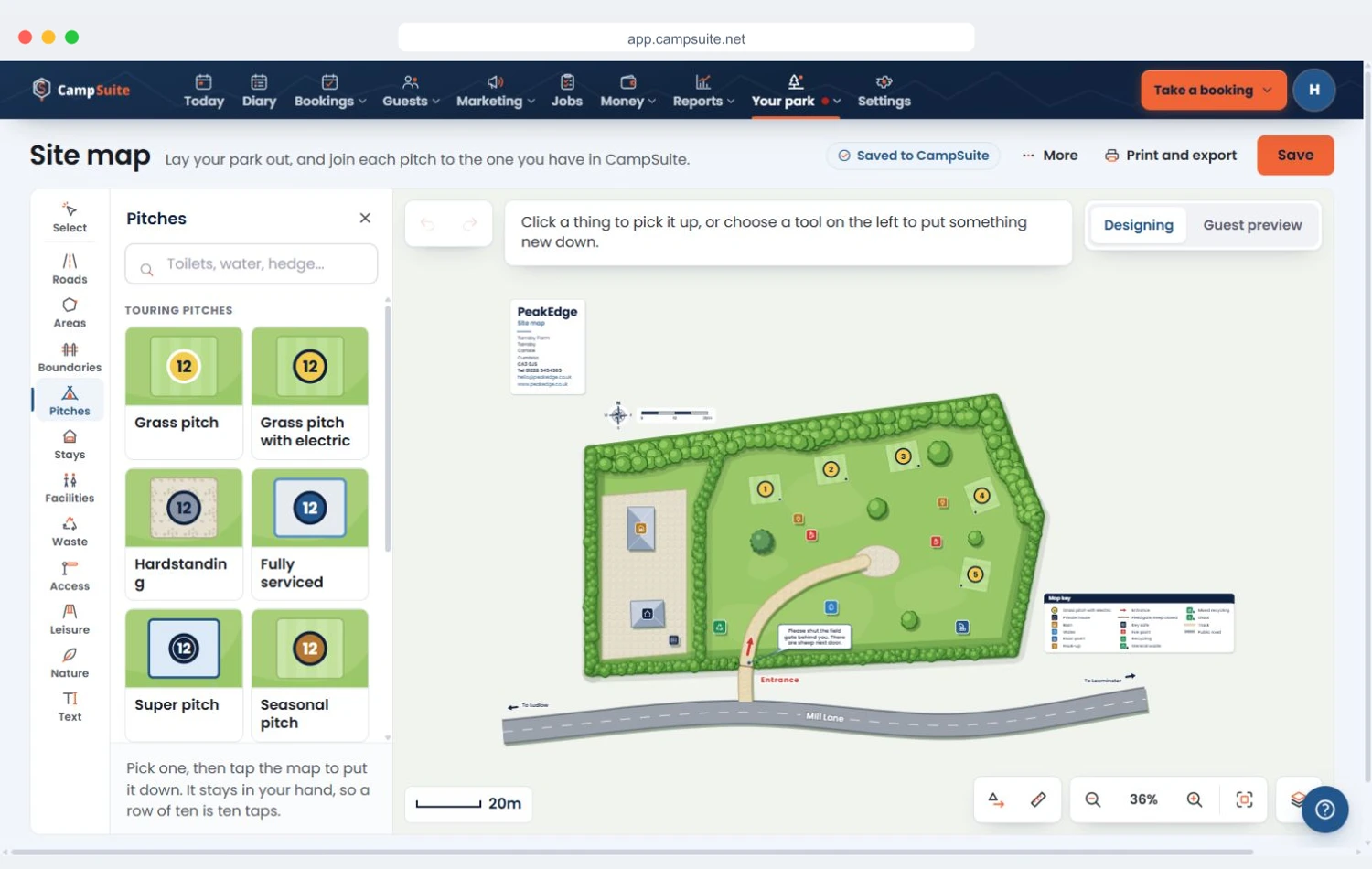
Drawn in metres, with a scale bar and a map key, and a running count of your pitches, places to stay and hectares.
Every pitch on the map is a pitch in CampSuite
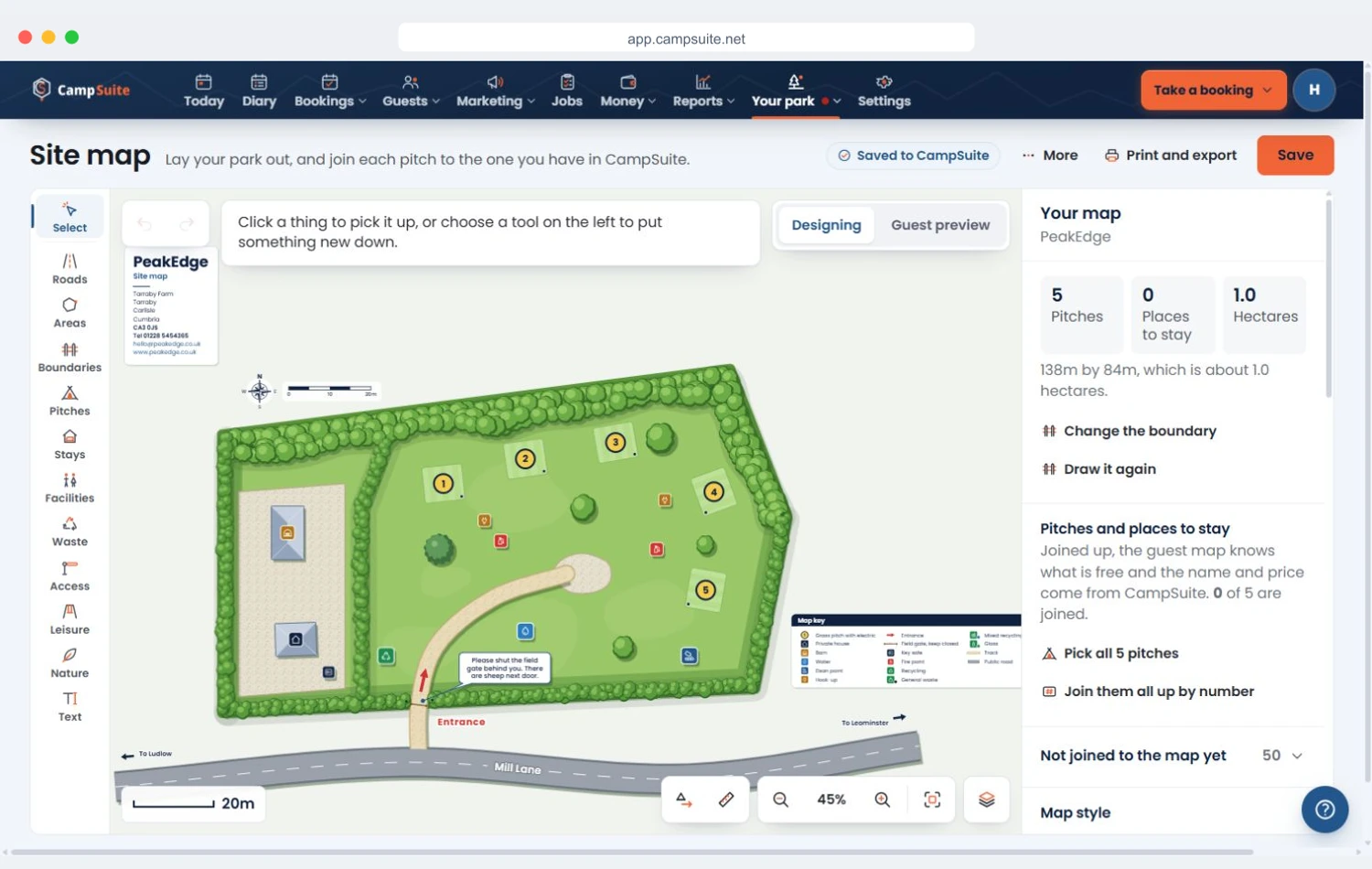
Join each pitch on the map to the one you already have in CampSuite, one at a time or all at once by number. Once they are joined, the name and price on the map come from CampSuite, so there is only ever one list to keep up to date.
Flip to Guest preview at any time to see the map the way a guest would, before anyone else does.
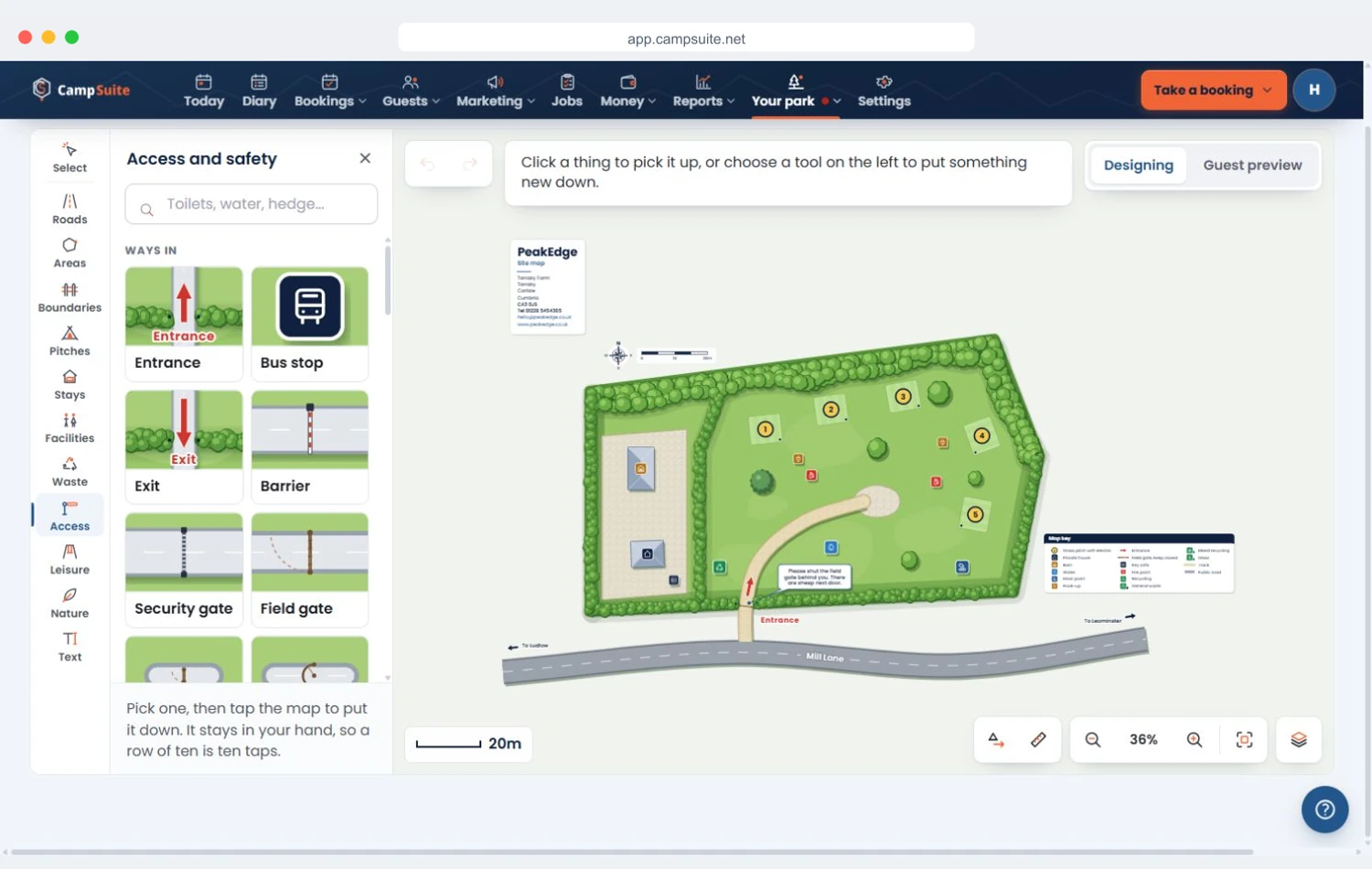
Show guests the way in
Put down the signs a tourer wants to know about before it turns in: the speed limit, one-way arrows, no entry, height and width limits, passing places and the staff-only areas.
Cannot see what you want? Search for toilets, water or a hedge and it comes straight up.
A copy for guests, a copy for the office
Print a guest copy with gate codes, key safes and staff-only things left off, and a staff copy with everything on, codes and stopcocks included. Choose A4 or A3, landscape or portrait, and whether the sheet carries your name and contact details, the map key, a north point, a scale bar and what to do in an emergency.
Or download it: a picture for your website, an email or a booking confirmation, or a file a print shop can blow up to any size for the board at the entrance.
Put it on your CampSuite website →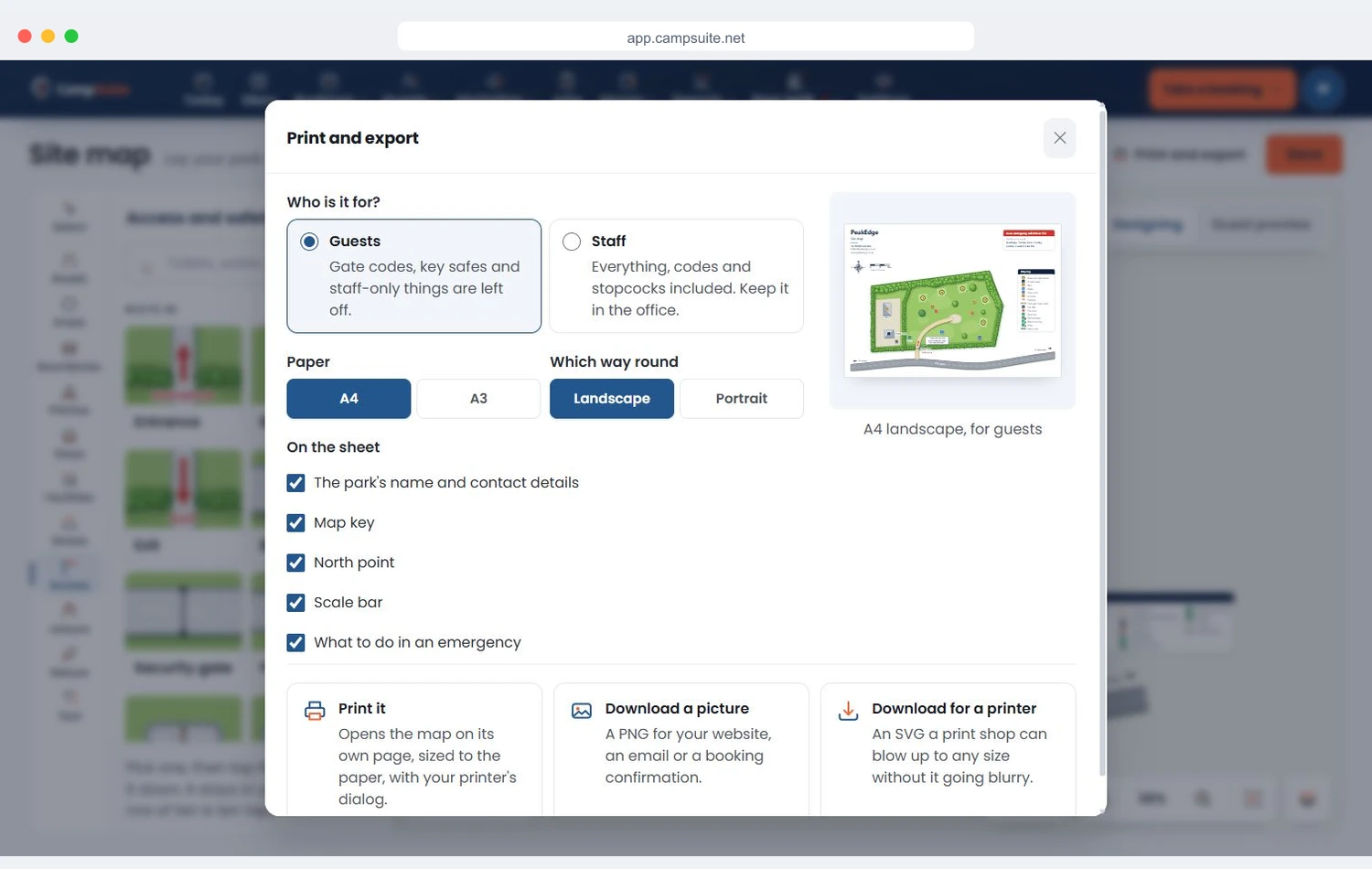
The map in your head, finally on the screen
Most owners have the whole site mapped out in their head - which pitch catches the morning sun, which corner floods, where the hook-ups reach. The trouble is your guests cannot see any of it, so you end up walking every arrival to their pitch or drawing a map on the back of a receipt.
The site map designer puts that picture on the screen. Lay out your pitches and facilities once, print a copy for the gate and put a picture on your website, and let guests find their own way around. As your park changes, the map changes with it in a couple of minutes.
Rather have a polished, professionally drawn interactive map? Our park maps service can build one for you.
Frequently asked questions
Which plans include the site map designer?
Grow, Park and Group. It is not on Free or Starter. On those plans you can redesign your map as often as you like at no extra cost, and a map drawn before the designer moved to Grow is kept exactly as it was, ready for when you move up. See the plans.
Do I need design skills to make a map?
No. You drag ready-made objects - pitches, cabins, trees, water, roads and facilities - onto a plan of your site and arrange them how you like. There is nothing to draw from scratch.
Can guests see the map?
Yes. Download it as a picture for your CampSuite® website, an email or a booking confirmation, or print a guest copy for the gate and the welcome pack, so guests can see the layout and exactly where their pitch or unit is before they arrive.
Can you build a fancier interactive map for me?
Yes. Alongside the designer we offer a done-for-you park maps service, where our team creates a polished interactive map of your site. The designer is for owners who want to make their own.
Map out your campsite today
The site map designer comes with Grow, Park and Group. No design skills required, and your map is ready to print the same afternoon.
