 Deutschland
 España
 France
 Ireland
 Italia
 Nederland
 Portugal
 UK
UKBuild your campsite website, free
A website builder made for campsites, so simple you can have a smart, bookable site live this afternoon. No code, no designer, no monthly web bill.
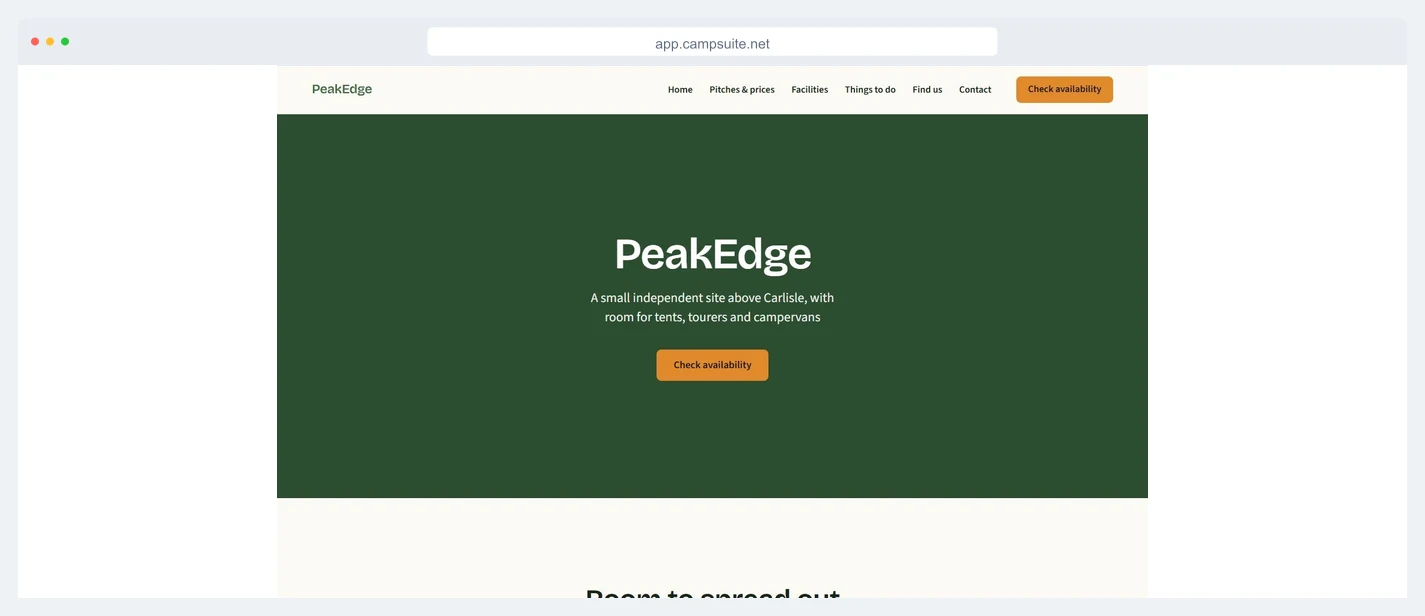
Drag, drop, done
Add a welcome banner, a photo gallery, your prices and a booking button by pointing and clicking. If you can write a text message, you can build your site.
Booking built in
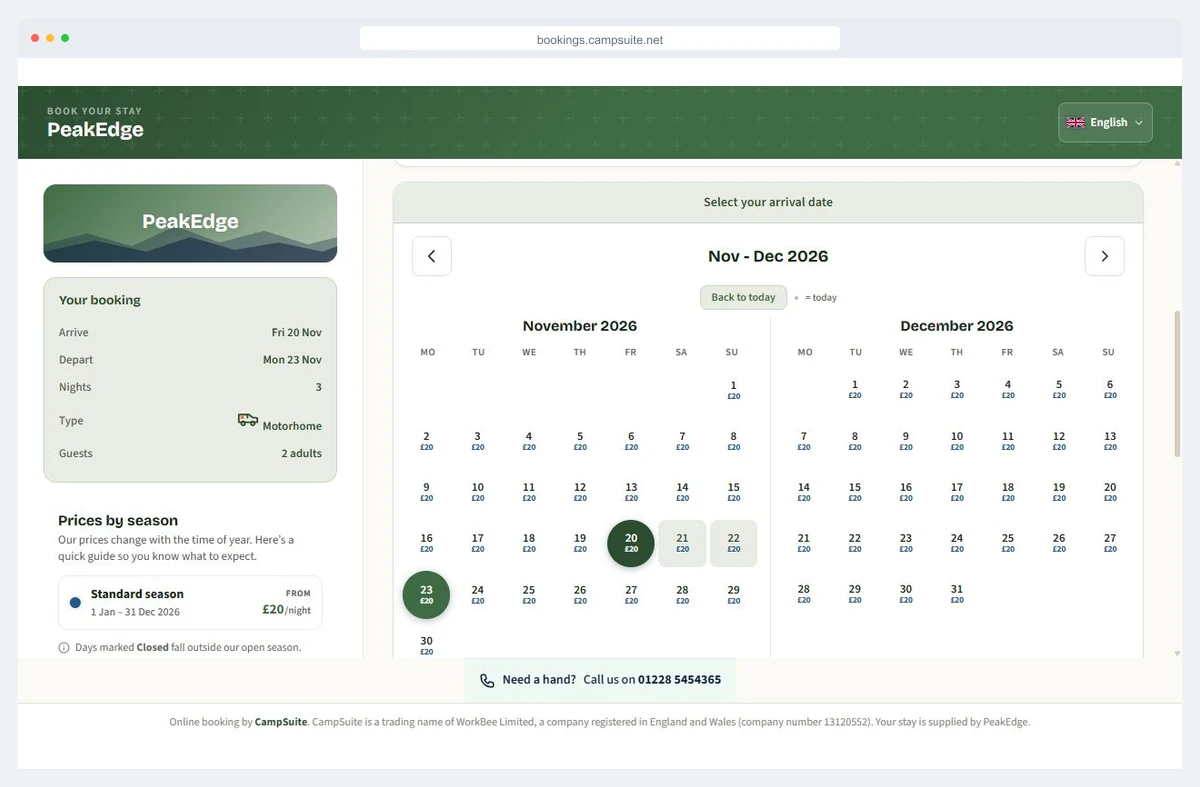
Your live availability and real prices come as ready-made blocks, so guests book direct and every booking lands straight in your diary.
Looks great on every screen
Fast, tidy and mobile-friendly out of the box. Over 70% of campsite searches happen on a phone, so your site is built for small screens first.
Your whole site, on one screen
Start from ready-made sections in your own colours: a welcome banner with a booking button, your welcome beside a photo, your pitches and prices. Click one to add it or drag it onto the page, then type straight onto the page to make the words your own.
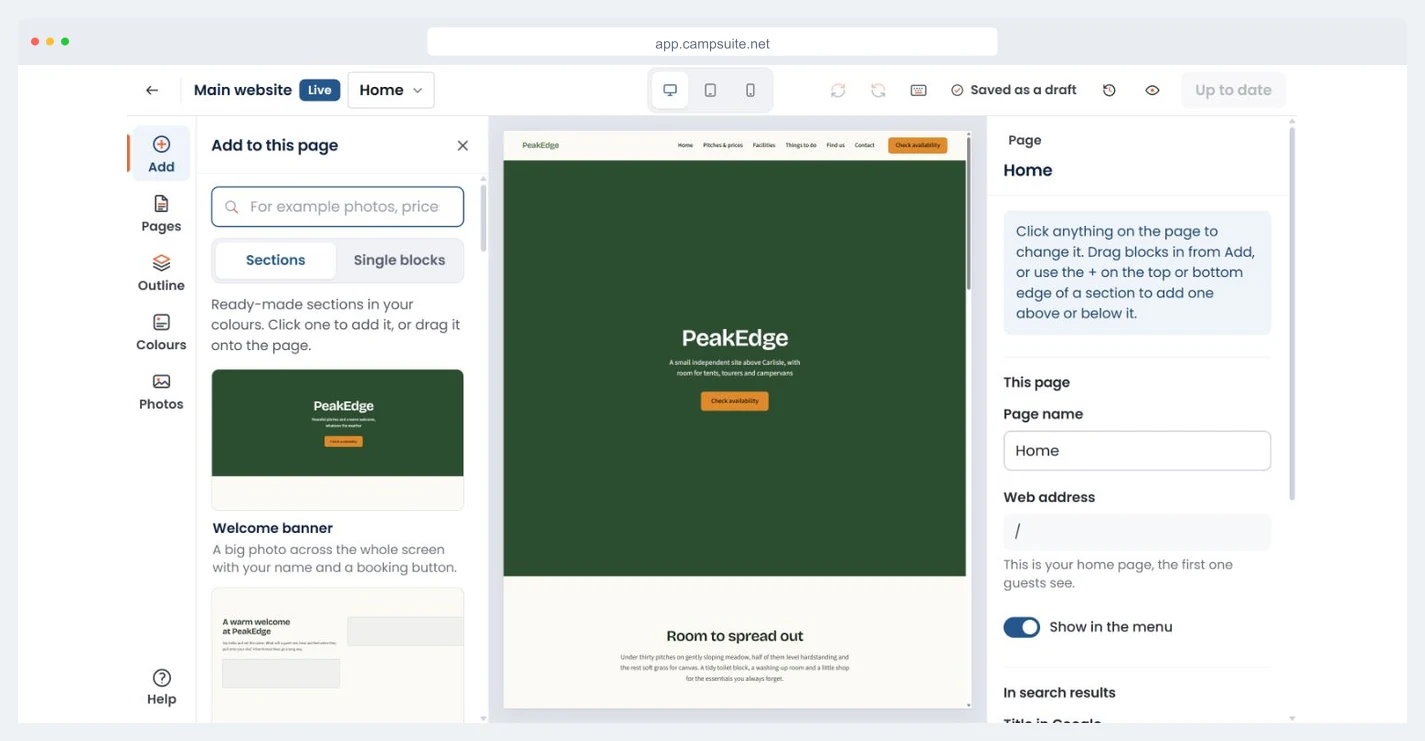
Everything saves as a draft while you work, with desktop, tablet and phone previews. Guests see nothing until you publish.
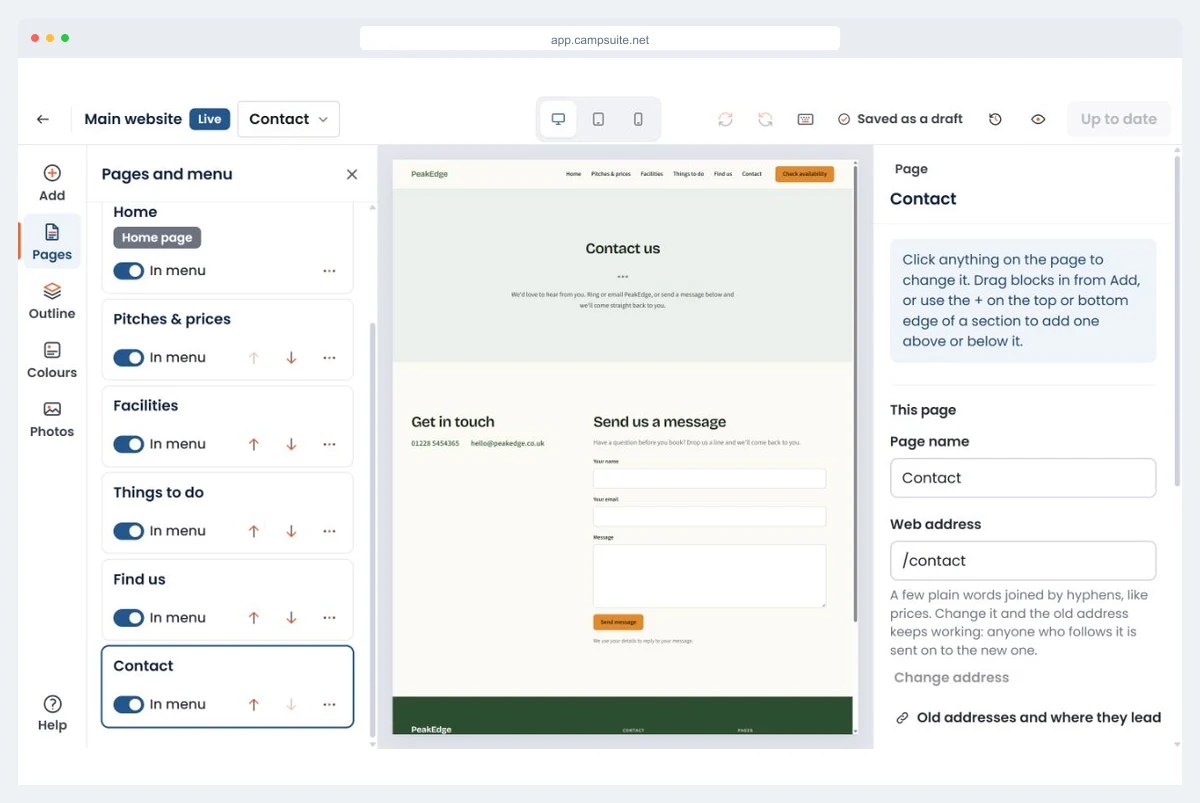
Add the pages you actually need
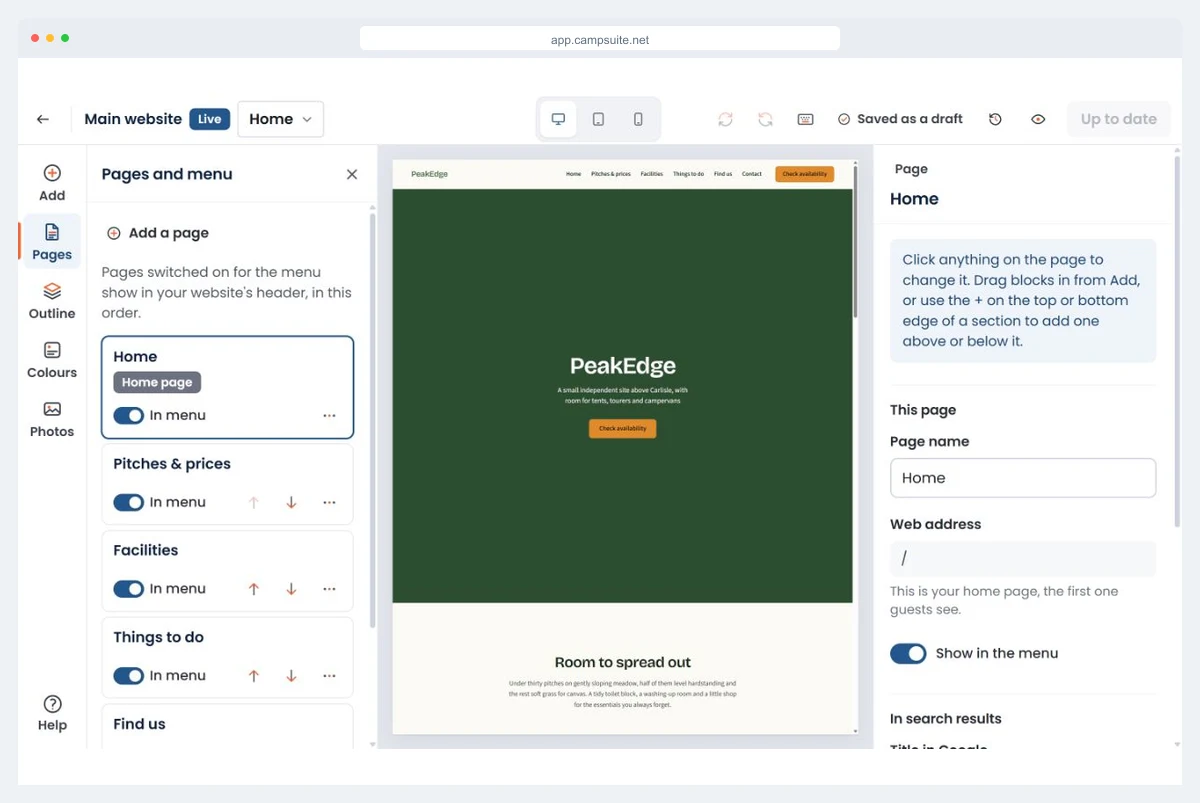
Start with a home page and add pitches & prices, facilities, things to do nearby, or a contact page - whatever suits your site. Move them up and down, and switch each one in or out of the menu: the header shows them in the same order.
No blank-page panic. Every page starts with sensible blocks you can tweak, so you are never staring at an empty screen. Your menus can carry links to other websites too, such as the pub down the lane.
Match your colours and style
Pick a look to start from, then set your own colours. They carry across your website, your booking pages and your emails, so it all ends up looking like your campsite, not a template everyone else is using.
Got a logo and brand colours already? Pop them in and the rest of the site falls into line.
Contact forms and newsletter sign-ups, built in
Add a contact form and every message is kept in CampSuite and emailed to you, ready to reply to the guest. Add a newsletter sign-up and guests confirm their email address before they join your newsletter list in CampSuite, so the list is people who asked to hear from you.
Your phone number and email come from your park details, so there is nothing to type twice. There are blocks for a map, directions, what3words and your social pages too.
Help guests find you on Google
Every page has its own web address and its own title in Google, set in the panel beside the page while you build it. No plugins, no jargon, just the settings that help the right people find your campsite.
How online booking works →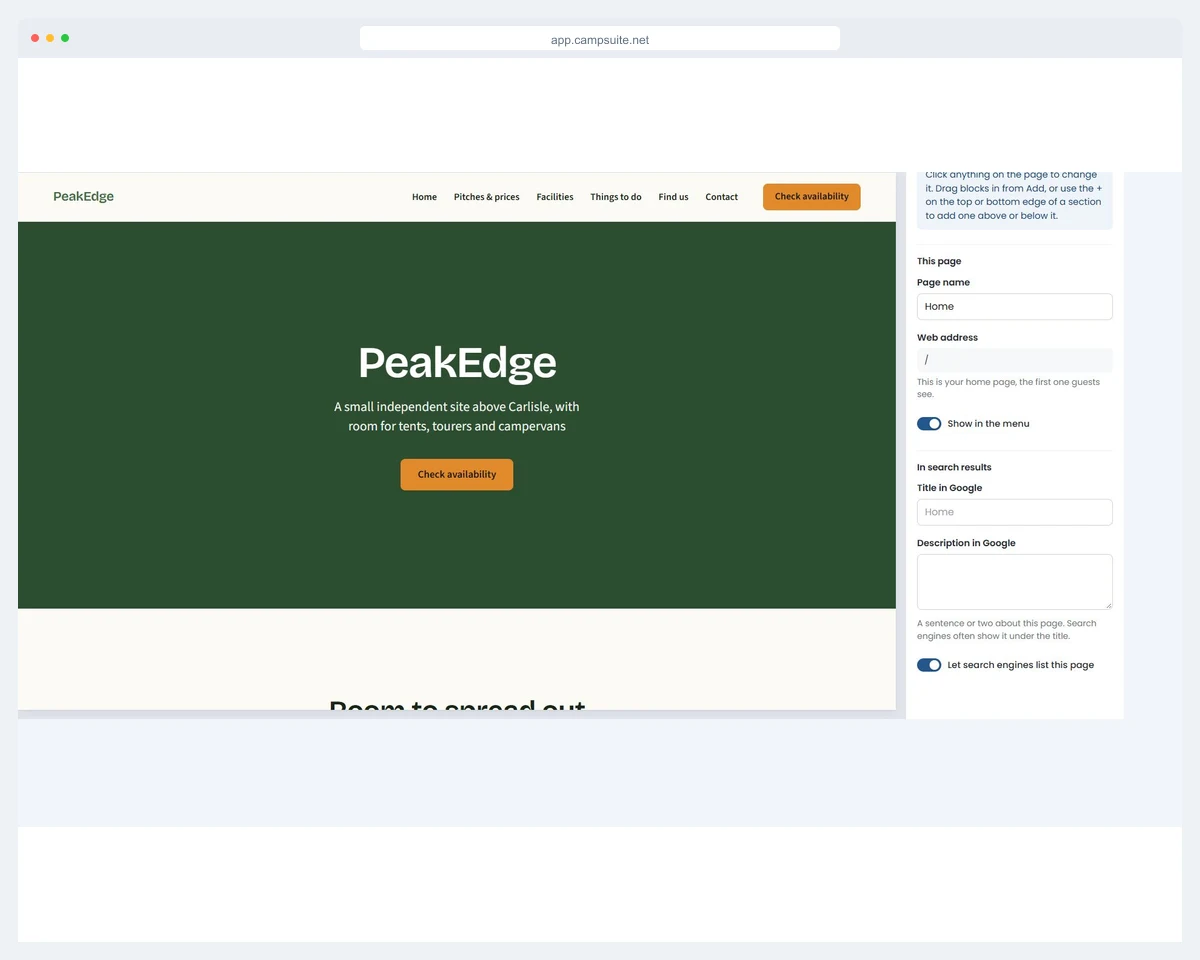

A proper website, without the proper website bill
Plenty of small sites limp along with a Facebook page and a phone number, or pay a web company a small fortune for a site that is a pain to change. Neither is much fun when you just want to update your prices for the season.
Because your website builder lives right inside CampSuite®, your pitches, prices and availability are already there. Build the site once, and it keeps itself up to date as you take bookings. Change a price in your account and your website shows the new one. Photos go in from your computer, or straight from your phone.
Your site lives at a tidy campsuite.net web address on every plan, at no extra cost. If you would like your own web address, that is an optional add-on at £5 + VAT a month, so guests see yoursite.co.uk.
Prefer we built it for you?
The website builder is for owners who like doing it themselves. If you would rather hand it over, our team designs bespoke campsite websites with the same booking engine built in.
See our web design serviceFrequently asked questions
Is the website builder really free?
Yes. It is included on every plan, including the free plan. Your site lives at a free campsuite.net web address on any plan. If you would like your own web address, that is an optional add-on at £5 + VAT a month.
Do I need any technical skills?
No. You add ready-made blocks - a welcome banner, photos, your prices, a booking button - by pointing and clicking. There is nothing to install and no code to write.
Can guests book directly on my website?
Yes. Your live availability and real prices are built in, so guests can check dates and book straight from your site, with the booking landing in your CampSuite diary automatically.
Can I use my own domain name?
Your own web address is an optional add-on at £5 + VAT a month on any plan, so you can point a domain such as yoursite.co.uk at your CampSuite website. Otherwise your site uses a free campsuite.net web address, included on every plan.
What if I would rather you built the site for me?
We also offer a done-for-you web design service where our team builds a bespoke campsite website for you. The free website builder is for owners who would rather do it themselves.
Build your campsite website today
It is free to get started and takes about 15 minutes. No card needed, no code, no designer.
